
Error: Invoice was not submitted due to insufficient PO funds
How to request additional PO funds
1. Follow these steps to initiate a PO Change and request additional PO funds
Once your request has been approved by Robinhood, you will be able to submit invoices.

2. Login to the Coupa Supplier Portal (CSP)
Navigate to Menu > Orders and select your customer (Robinhood).
3. Open the PO link where you need additional funding
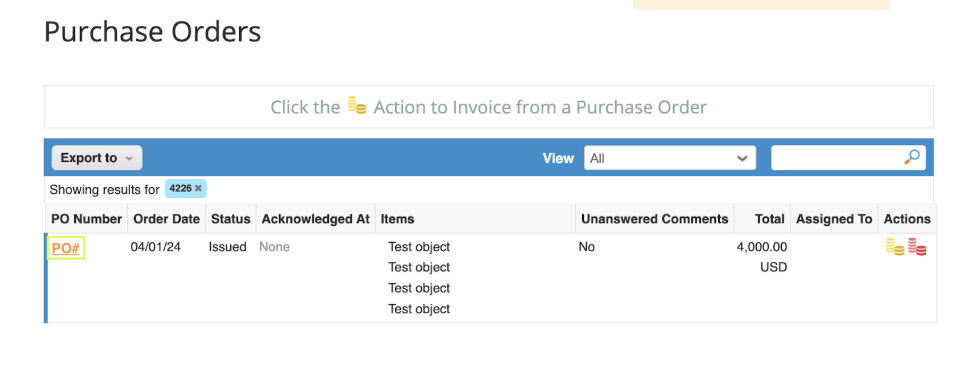
4. Scroll down and click “Request Change”

5. Edit the PO, submit the request, and await Robinhood's approval

Robinhood third-party policies
We expect each vendor to uphold the highest standards of integrity and business ethics, per this Vendor Code of Conduct. The Robinhood Non-Employee Travel Policy applies to all contractors, consultants, external legal service providers, contingent workers, and vendors who seek reimbursement for travel expenses.
We expect each vendor to uphold the highest standards of integrity and business ethics, per this Vendor Code of Conduct. The Robinhood Non-Employee Travel Policy applies to all contractors, consultants, external legal service providers, contingent workers, and vendors who seek reimbursement for travel expenses.